
The fastest way to overspend is to make every decision inside the store. Better grocery shopping does not require five coupon apps. It requires a few repeatable checkpoints that protect the food you actually need.
1. Give every item a job
Write the meal or need beside uncertain products. Spinach for pasta is clear. Spinach because it seems healthy is likely to become fridge compost. If an item has no job, leave it for another trip.
2. Set a trip limit first
If $420 remains for three shops, today does not automatically get $140. You might cap the trip at $125 and protect the rest for a larger week.
3. Compare usable quantity
Unit price helps only when you use the full unit. A larger jar is not cheaper when half expires. Choose the size that fits your storage, appetite, and calendar.
4. Keep one flexible meal
Fried rice, soup, tacos, pasta, and grain bowls can absorb leftovers and changing prices. They reduce single-purpose ingredients and give produce a second chance.
5. Limit duplicate snack roles
Three salty snacks compete for the same moment. Choose one or two. Rotate the rest next week. Do the same for sweet snacks and drinks.
6. Track expensive items immediately
Record meat, bulk products, specialty ingredients, drinks, and personal care products as they enter the cart. Forgetting one $24 pack matters more than being off by a few cents on several cans.
7. Pause at 80 percent
At $96 of a $120 limit, check what remains. If dairy and produce are still missing, optional products need to wait.
8. Reduce quantities before meals
A duplicate $9 item is often a better cut than a $9 dinner ingredient. Keep one unit and preserve the plan.
9. Prepare three easy cuts
Know which drink, duplicate snack, or larger package can go first. A prepared correction takes seconds and avoids debating every product at checkout.
Use the final cart review to connect the plan with the actual total before checkout.
Make the habits work as one system
These habits are most useful when they happen in order. Start with the list, set the trip limit, shop meal ingredients, then review optional products. Trying to compare every unit price before you know what meals you are buying adds effort without giving the cart a clear priority.
A simple routine is enough: five minutes in the kitchen, ten minutes choosing meals, and one running total in the store. The goal is not a perfect shop. It is a shop where the final number is not a surprise.
Watch the categories that quietly grow
Snacks, drinks, convenience meals, and household goods often enter the cart one at a time. Each product looks manageable, but together they can use a third of the trip budget. Review those groups as groups rather than judging every item alone.
For a $150 trip, four drinks at $5 each and three snacks averaging $6 already total $38. That may be completely reasonable, but it should be a deliberate $38 decision, not seven unrelated choices.
Use a replacement rule for impulse buys
When you want an unplanned product, decide what it replaces. A new snack can replace one already on the list. A more expensive dinner shortcut can replace another meal. If it replaces nothing, it must fit inside the flexible part of the budget.
This rule lets you respond to real store prices without turning the list into a rigid contract. You can change your mind while keeping the total under control.
Build a checkout buffer
Aim to finish several dollars below the exact limit. Produce sold by weight, local taxes on nonfood items, and missed prices can change the total. A $5 to $10 buffer on a larger trip keeps a small estimating error from breaking the plan.
Do not create the buffer by removing food you need. Create it by planning slightly below the cap and treating the last few dollars as protection rather than spending money.
How to use Cart AI during the trip
Start a trip and enter the amount you want to spend. Add each product with its quantity and price. Cart AI keeps the running total beside the remaining budget, which makes the 80 percent checkpoint easy to spot.
If the cart is getting tight, open the trip options and choose Adjust Cart. Review the suggestions one by one. A suggestion may remove an optional item or reduce a product from two units to one. Tap only the changes that fit your meal plan.
The projected total updates as suggestions are selected. That means you can stop as soon as the cart reaches a comfortable number instead of cutting more than necessary. Apply the selected suggestions, then finish the trip when the physical cart matches the list.
Measure the habit, not just the receipt
A lower total is helpful, but also notice whether the food lasted, whether meals were complete, and whether another store trip became necessary. Saving $15 and then spending $28 on a fill-in trip is not progress.
Choose two habits for the next three shops. For example, track expensive items immediately and pause at 80 percent. Once those feel automatic, add a third. A smaller routine you repeat will beat a perfect system you abandon after one week.
How to create the list before grocery shopping
Open the Lists tab in Cart AI and tap the plus button. Your saved lists remain visible with an item count and estimated cost, making it easier to compare the new plan with previous shops.
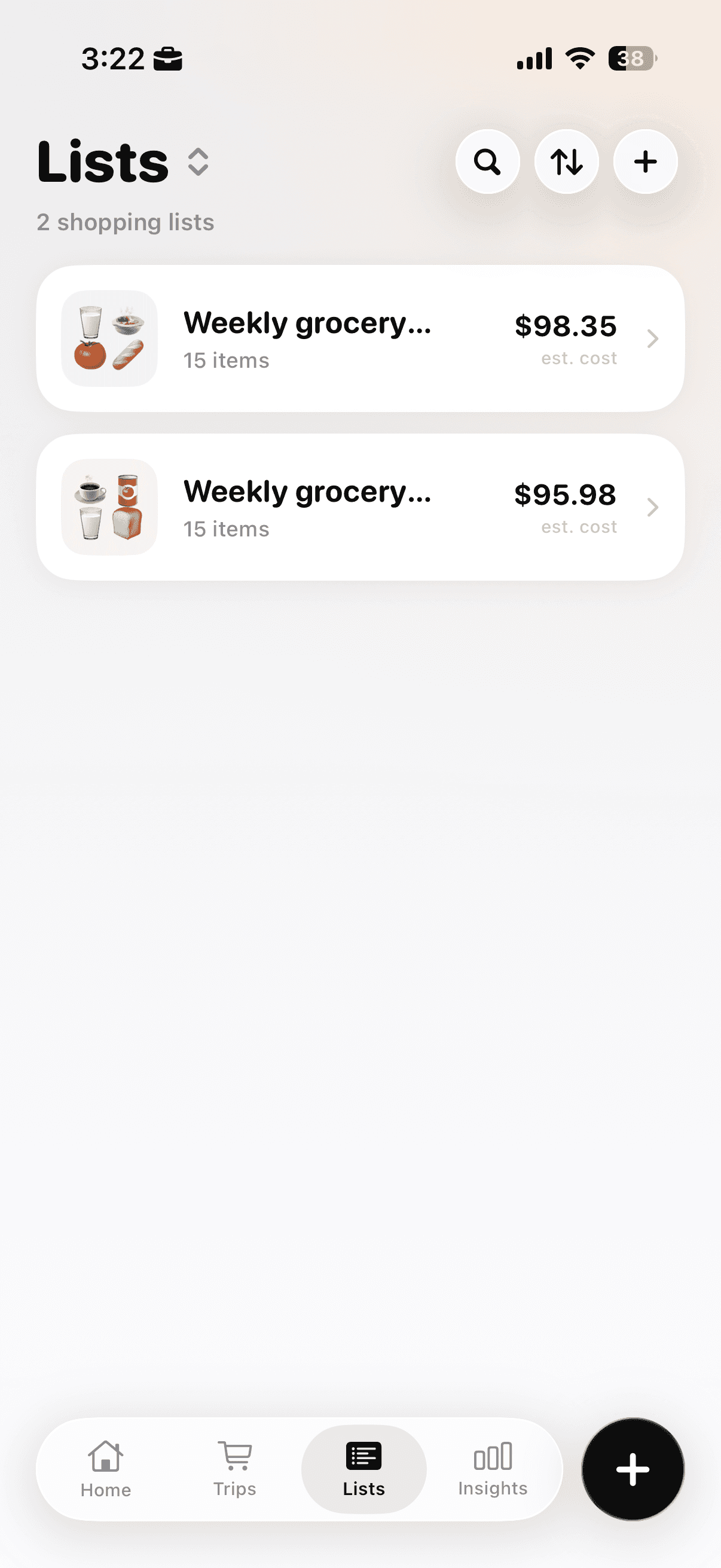
The Lists tab keeps saved lists, item counts, and estimated totals in one place.
Tap the plus button and choose Plan a Shopping List. Shop & Track Now starts a live trip, while Quick Cart Total is designed for quickly totaling products before checkout.
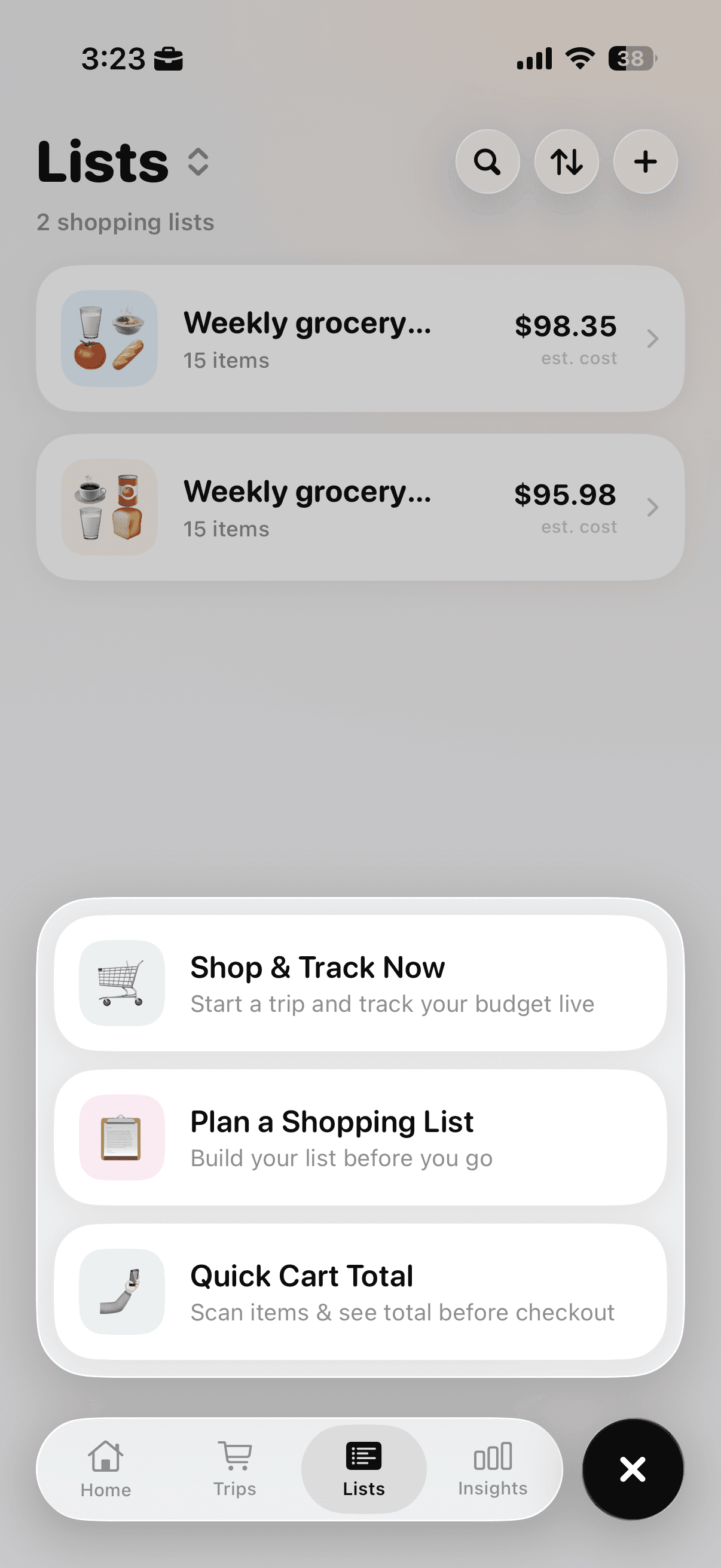
Choose Plan a Shopping List when preparing groceries before the store.
Choose Plan a Shopping List and turn on Plan with AI. Try a prompt such as “Five dinners and simple breakfasts for two people, with one flexible meal and no duplicate snack categories.” Specific instructions help the generated list reflect the habits in this article.
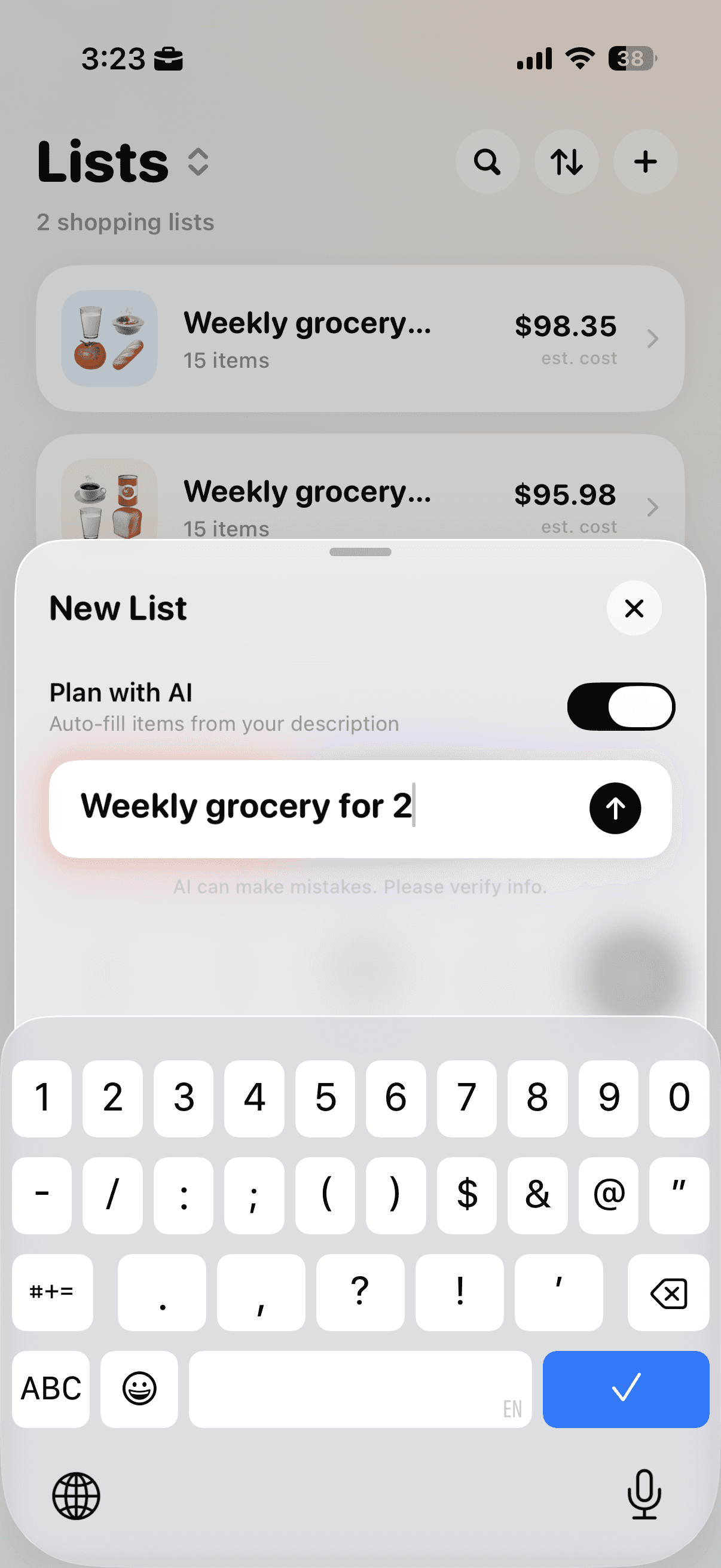
Enable Plan with AI and describe the household, timeframe, budget, and important constraints.
Check every item before shopping. Adjust quantities, remove products without a clear job, and make sure the estimated total leaves enough room for price differences at the store.
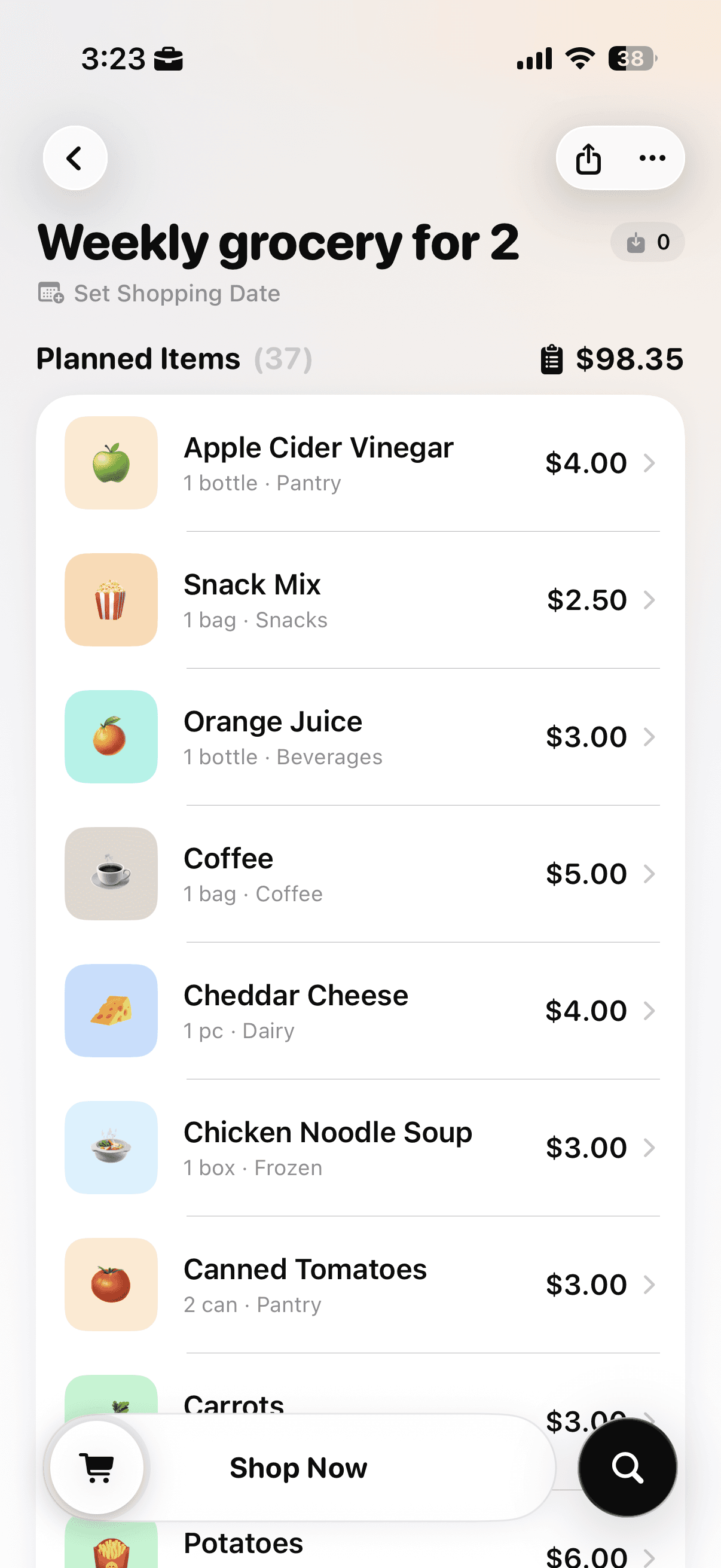
Review the generated items, quantities, categories, and estimated total before starting the trip.
Before practicing these habits in the store, build the trip around a grocery list that starts with your budget so the cart has clear priorities.
For a simple framework for balancing food groups while planning meals, review USDA MyPlate and adapt it to your household rather than copying a fixed menu.
To keep the running total visible without doing the arithmetic yourself, try Cart AI on the App Store